- Role
- UI/UX Designer
- Timeline
- 2023
- Status
- Previous role
- Tools
- Figma
ArgWallet
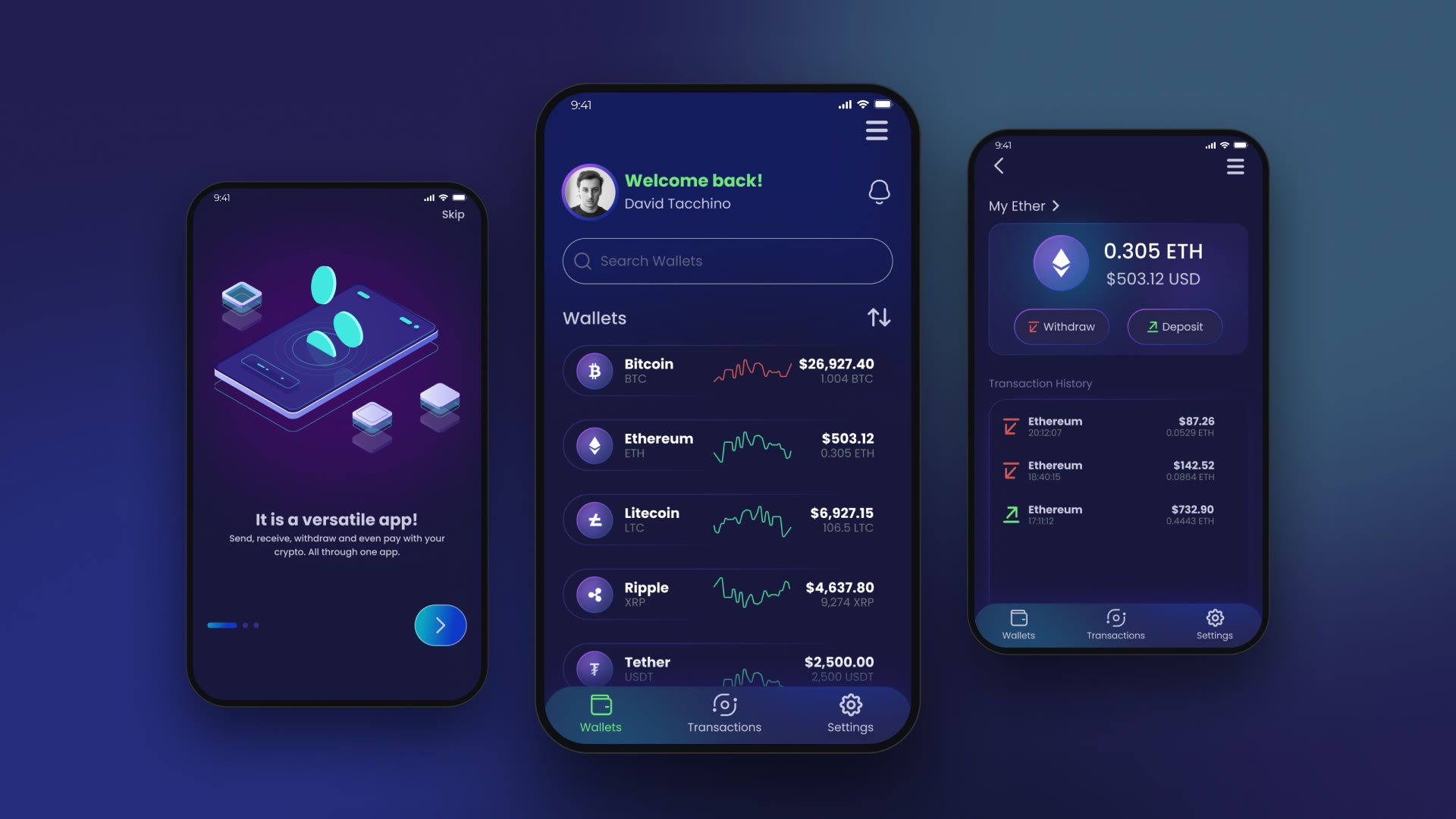
A mobile app for storing and sending crypto
- Problem
- Crypto transactions look complicated. The client, a technology company, wanted its own wallet app that makes them as easy as ordering a meal.
- My role
- Our team designed and built the app, and I was its designer: the research, the flows and the interface.
- Scope
- Onboarding and sign-up, wallets, deposits and withdrawals, transaction history and settings.
Overview
A crypto wallet for a technology company
Cryptocurrencies are used more every year, and the client, a technology company, wanted to launch a crypto wallet of its own. The aim was simple to say and hard to do: make transactions that look complicated feel as easy and smooth as ordering a meal.
Our team designed and developed the app, and I was its designer.
Process
Starting with a user survey
I worked in five stages, from discovery to delivery, and kept listening to users along the way. A survey came first and shaped every step after it. Then I mapped the competitors by features and by how much experience they expect, wrote a persona, built the information architecture, drew the deposit flow and set the style.
Screens
Onboarding, sign-up with a PIN and Touch ID, the wallets, deposits and withdrawals, the transaction history and settings.
The app
-
Onboarding -
Welcome -
Sign up -
Set a PIN -
Touch ID -
Wallets -
Menu -
Wallet details -
Withdraw -
Transactions -
Deposit -
Deposit: enter the address -
Scan a QR code -
Settings -
Notifications -
Security
Contact