- Role
- UI/UX Designer
- Timeline
- 2024
- Status
- Concept
- Tools
- Figma, FigJam
Orsay Museum
An art history app for the Musée d’Orsay
- Problem
- Art lovers and students rarely find a gallery app that’s both interactive and educational, so learning art history on a phone is harder than it should be.
- My role
- A concept I did end to end: research and interviews, personas and the journey map, wireframes, the user flow, the visual style and the final screens.
- Outcome
- A complete concept app: onboarding, the collection with an in-museum map, exhibitions and tickets, art history, a quiz and the profile.
A museum app should tell the story behind the work.
Overview
Why the Musée d’Orsay
It started with a personal fascination: the Musée d’Orsay’s building and its Impressionist collection. I wanted to see what a museum app could be if it went beyond gallery listings and actually helped people connect with the art.
In the concept you can browse the collection by technique, period or artist, find exhibitions and buy tickets, learn art history through interactive content, and test what you know with quizzes. Every screen was meant to feel like part of the museum.
Research
Who the app is for
Research rested on four pillars: what people expect from an art gallery app, how other platforms handle collections and events, how art history could fit into a mobile experience, and which technical approach to take. Interviews with art lovers, students, educators and museum visitors set the direction.
Empathy and personas
An empathy map captured what people say, think, do and feel around art. Two personas came out of it: Romeo, a school teacher in Paris who wants to make art history engaging for his students, and Brigitte, an art student in Nice looking for a place to deepen her practice. Quotes from four user archetypes kept every decision tied to real needs.
User stories and journey
User stories for four archetypes (an art historian, a university student, a teacher and an art student) each carry a different motivation. The journey map follows one person from creating an account through discovery, following events, talking with others and building a collection, with the emotional highs and the design opportunities at each step.
Problem & goal
Making art history easier to get into
Problem statement
Art enthusiasts and students are individuals with a deep interest in art history who need an engaging and comprehensive art gallery app because existing platforms may not provide an interactive and educational art experience, making it difficult for users to explore and learn about art history in a user-friendly manner.
Goal statement
My Art Gallery App will let users explore art and art history interactively, benefiting art enthusiasts, students, and curious minds. I will measure its effectiveness by tracking user engagement, content interactions, and user satisfaction.
Design
A palette taken from the museum’s stone and gold
Wireframes
I started with rough paper sketches to try layouts and screen flows quickly, then turned them into digital wireframes to test usability and hierarchy before going to high fidelity. Working in two steps meant fast iterations and early checks on the core navigation.
User flow
The flow maps the whole ticket purchase: onboarding and sign-in, browsing and filtering events, choosing tickets, paying and adding the visit to the calendar. Every decision point is drawn out so the path stays simple.
Visual style
The look comes from the museum’s warm stone and classical atmosphere: a muted gold, deep burgundy, charcoal and white that feel elegant without competing with the art. Montserrat keeps the interface clear, and Unna gives the headings an editorial character.
Final design
Feature by feature
-
Onboarding and home
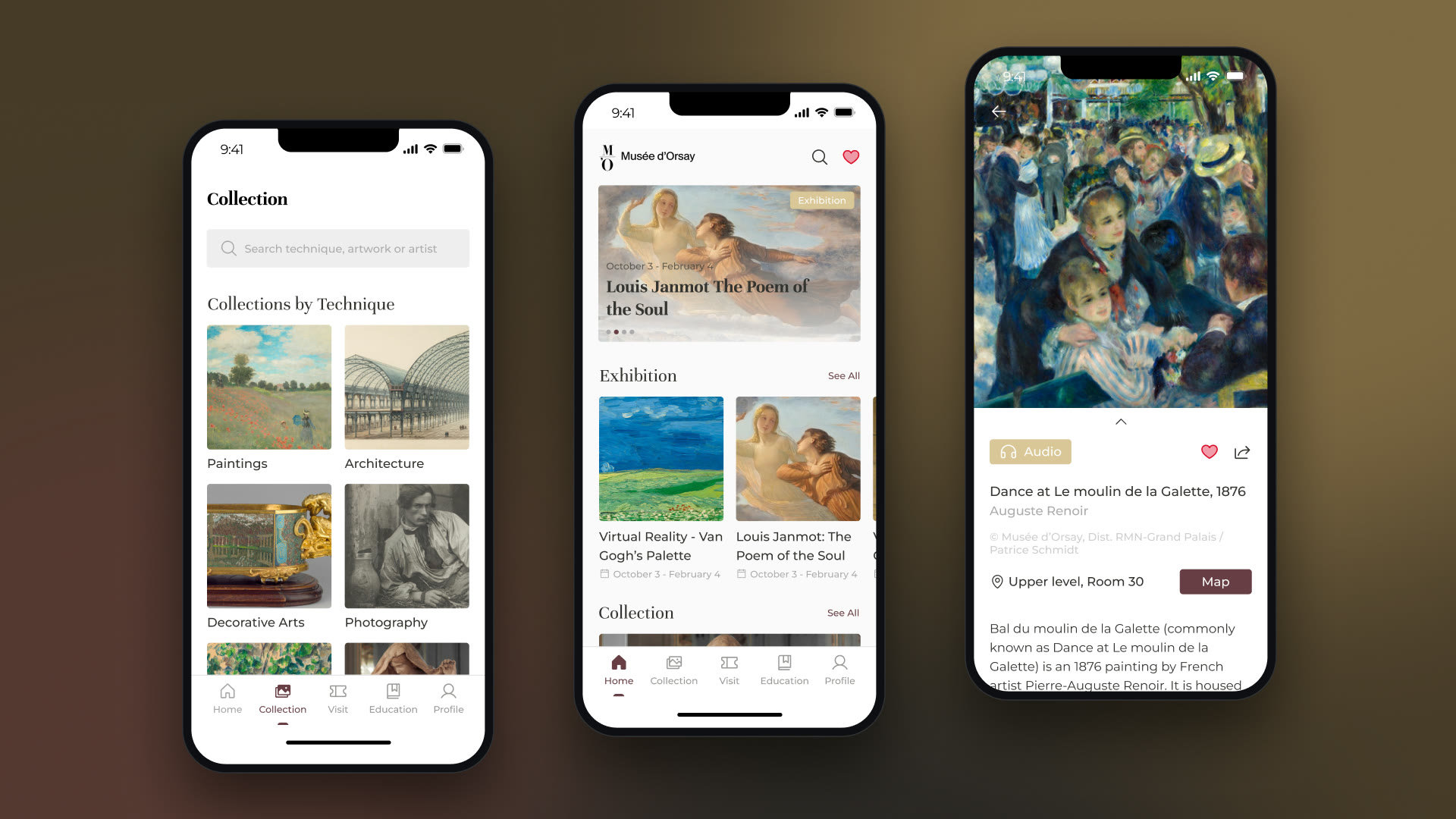
Onboarding introduces the museum in three steps, each framed by a different artwork, with six feature icons that show what the app can do. The home screen is the hub: featured collections, upcoming exhibitions and personal recommendations in one scrolling page.
Onboarding and the home screen. -
Collection
Browse by technique (paintings, sculpture, photography, decorative arts) and open any work for the artist’s biography, the date, where it hangs and an audio guide. A map shows exactly where each work is displayed, which ties the app to the museum itself.
From technique to a single work. -
Visit
Current and upcoming exhibitions with dates, descriptions and filters. Buying a ticket takes three steps: choose tickets, pay, and get a confirmation with a QR code and a calendar entry.
Exhibitions, an event and the saved ticket. -
Education
Art history from prehistory to today, by period, movement and school, each with its context. It works as a learning tool and as a reference: for a student preparing coursework or a visitor who wants context before a trip.
Art history, one era at a time. -
Quiz
Play alone or with friends, with questions about the Orsay collection and art history. A leaderboard adds some competition, an explanation after every answer keeps it educational, and difficulty levels and topics keep it open to everyone.
The quiz list and the scoreboard. -
Profile
Language, notifications, text size and theme (light, dark or system), in a simple layout where the accessibility options are easy to find.
Profile and accessibility settings.
More from the app
-
Onboarding 1 -
Onboarding 2 -
Onboarding 3 -
Home -
Collection -
Paintings -
Artwork -
Map -
Artists -
Visit -
Exhibition -
Tickets -
Payment -
Saved tickets -
Education -
Art through the ages -
Quiz -
Scoreboard -
Profile
Learnings
This project was about designing for a lot of content: rich art history material in an interface that stays clean and easy to move through. I learned to let the artworks lead and keep the interface out of their way.

Contact