- Role
- UI/UX Designer
- Timeline
- 2023
- Status
- Previous role
- Tools
- Figma
BloomIn
A web platform connecting entrepreneurs with investors
- Problem
- An investment platform carries a lot of information for three very different roles: investors, entrepreneurs and admins. It had to stay clear for all of them.
- My role
- As the UI/UX designer I designed the whole platform: the public landing pages and campaign browsing, and the signed-in flows for investors, entrepreneurs and admins.
- Outcome
- The full platform: landing, campaigns, campaign creation and tracking, profiles and the admin panel, all in one system.
Dense information, clear for three different roles.
Overview
Entrepreneurs and investors on one platform
BloomIn is a platform for growth-focused investments. It connects entrepreneurs looking for funding with investors looking for their next opportunity, and gives both sides what they need to judge, start and follow a campaign.
As the UI/UX designer I was responsible for the whole platform experience: the public landing pages and campaign browsing, and the signed-in flows for investors, entrepreneurs and the platform’s admins. The challenge was keeping a lot of information clear across three very different roles.
Platform
The main flows, for each role
The main flows are below. Beyond them, BloomIn runs to dozens more screens: settings in depth, modals, edge cases and supporting flows for each role, all designed in the same system.
-
Landing
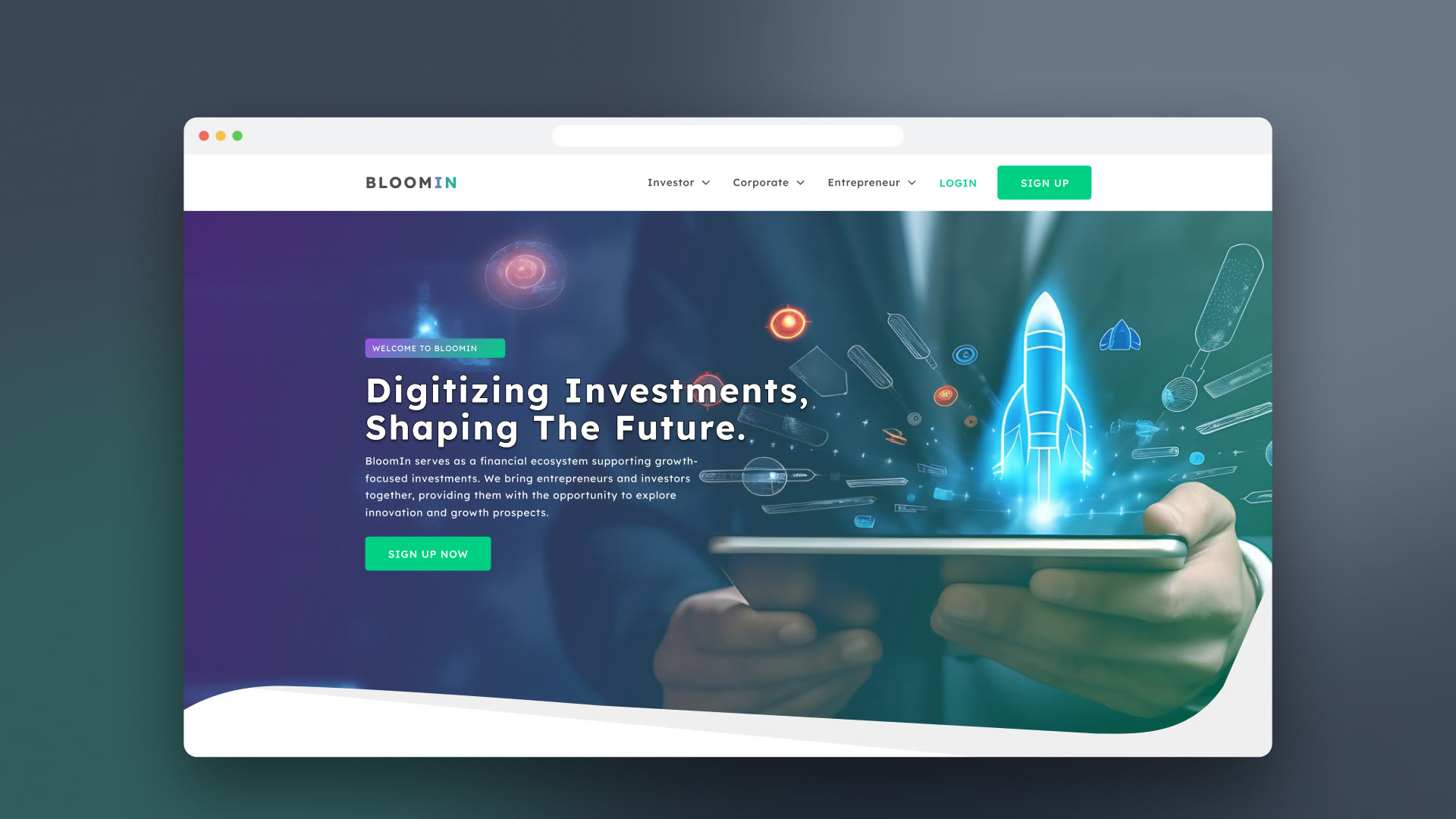
The landing page explains BloomIn to both audiences: investors see a clear way to find and judge projects, entrepreneurs see how to bring their idea to life here. Sign-up works for individuals and companies, with onboarding based on interests, and logging in stays short so fewer people drop off.
The landing page. -
Campaigns
Investors browse every active campaign and filter by status, sector and funding stage. Each card shows the key numbers at a glance: amount funded, target, number of investors and time left.
All campaigns, with filters and the numbers on every card. -
Campaign details
A campaign’s page goes deep, with a sidebar for the venture, the campaign itself, documents, team, financials, images and investor reports. The aim was to give investors everything they need for an informed decision without crowding the page.
A campaign’s page: Myn. -
Create a campaign
Entrepreneurs go through a structured form: venture profile, documents, team, product, market analysis, financial projections, funding goals and media. A progress list and one section at a time keep it manageable, and finished steps are checked off as the campaign comes together.
Creating a campaign, one section at a time. -
Campaign tracking
Once a campaign is live, entrepreneurs follow it on a dashboard: percentage funded, total received, number of investors and a chart of funding over time, with updates and investor reports one click away.
Funding progress, as it happens. -
Profile
Personal details and social accounts, security with password management and login history, notification settings and the investment account with every transaction, all behind one consistent sidebar.
The profile, behind one sidebar. -
Admin panel
Admins see the whole platform on one dashboard: entrepreneurs, investors, campaigns and total investment. Campaign status and the most invested campaigns come first; deeper views handle users, verification, campaign approval and updates.
The platform at a glance.
More from the platform
-
Documents and awards -
New campaign: team -
New campaign: funding -
New campaign: financial tables -
Investor registration -
Account verification -
Privacy and notifications -
Investment account -
Wallet -
Campaign updates -
Investor report -
Admin: users -
Admin: a user’s details
Learnings
Nilsu: one or two sentences on what designing for three roles taught you
Contact