- Role
- UI/UX Designer
- Timeline
- 2025
- Status
- Personal concept
- Tools
- Figma
Design System
A token-driven library, from foundations to components
- Problem
- Without a system, components get copied with small differences, colors get hard-coded and spacing drifts. Changing one brand color turns into dozens of manual edits.
- My role
- I built it on my own, start to finish: the foundations, the tokens and the components with all their states, in Figma with variables, styles and component properties.
- Outcome
- A Figma library with foundations, tokens and components, ready to reuse.
Change one token, and the whole library follows.
Overview
Built in Figma with variables and component properties
This is a personal project. I wanted to see how visual consistency, tokens and reusable components come together in a real product setting, from the basics like type, color and spacing to complex components with many states.
I built everything in Figma with variables, styles and component properties in mind. I wanted a living system: change a single token and the whole library follows, the way you'd expect.
Problem
Why build a design system from scratch?
Most products start without one. Components get made on the spot, colors get hard-coded, and spacing drifts as the product grows. I wanted to solve that at the foundation, before it piles up.
- Components get copied across files with small differences, and keeping them in sync gets hard.
- Without tokens, changing a brand color means editing dozens of screens by hand.
- New designers with no shared reference reinvent patterns, which adds even more inconsistency.
Foundations
Type, color and grid first
Typography
Poppins, for its geometric clarity and how well it reads at every screen size. Five heading levels (H1–H5) and three body sizes (lg, md, sm), each in regular, semi-bold and link styles. They're all Figma text styles, with desktop and mobile versions.
Color
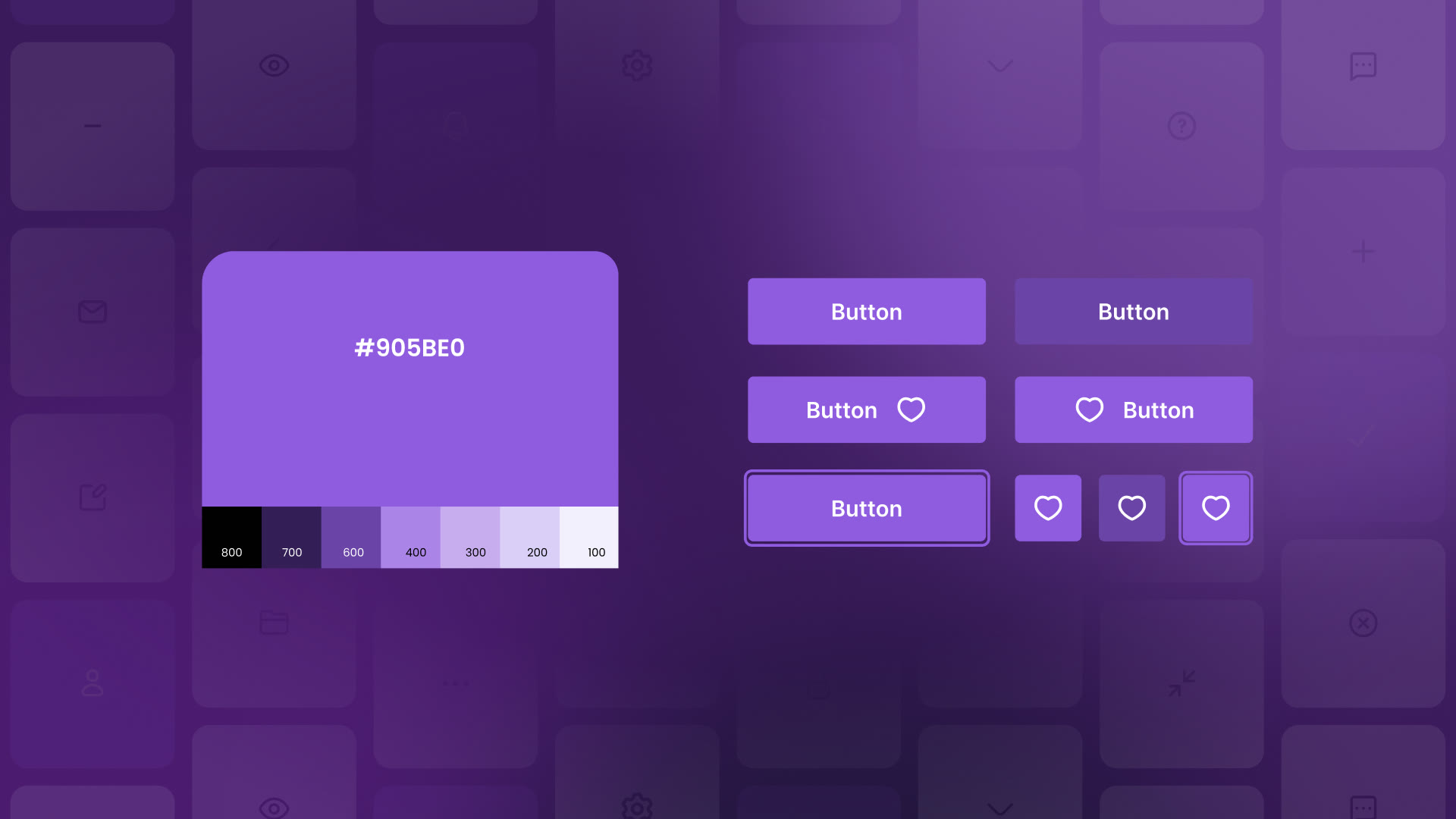
Purple is the primary brand color, for creativity and clarity. Orange adds warmth as the secondary accent, and neutral grays give structure. The alert colors (warning, success, info, error) follow familiar conventions. Every color is a Figma variable with a full ramp from 100 to 800.
Grid and spacing
12 columns on desktop (1440px, 32px gutter, 96px margin), 8 on tablet and 4 on mobile. Spacing runs from 2px to 56px in nine named steps, 3xs to 3xl, so every layout decision uses the same words.
Components
Components with all their states drawn out
-
Icons
32 icons in four groups (navigation, actions, status and system), drawn on one optical grid with the same stroke weight and corner radius. Each one is a Figma component with swappable properties.
All 32 icons on a single optical grid. -
Buttons
Three variants (primary, transparent, outline), each with default, hover, disabled and focus states, and the icon on either side.
Primary, transparent and outline buttons in all four states. -
Inputs
Text fields, defined fields and text areas share spacing, labels and validation across six states.
Text fields in six states. -
Selections
Checkboxes, radio buttons, switches and date pickers share sizing, color meaning and states.
Checkboxes in two sizes and every state. -
Menus
Items, containers, dropdowns and nested menus follow one interaction pattern, with primary and selected variants.
The dropdown, built from the same menu items. -
Navigation
Tabs, anchors, nested menus, breadcrumbs, links, pagination and carousels, each with default, hover, focus, selected and disabled states. The header pattern puts page links and contextual actions together.
Tabs and the tab bar. -
Tags and lists
Interactive and status tags, list items and tree views for structured content. Tables are built up from items, cells and rows into a full table with pagination.
Interactive and status tags. -
Feedback
Loaders, progress bars and circles, and snackbars in five semantic variants show what’s going on.
Snackbars in five semantic variants. -
Surfaces
Avatars in three types (icon, initial, image) and three sizes, with group and caption versions. Cards are built from slots, 1 to 6 in columns or rows, with placeholder and image components, so they fit any content.
Cards from slots: the same parts, different content.
More from the library
-
Icon buttons -
Switches -
Date picker -
Menu items -
Pagination -
Carousel -
Tree view -
Table -
Progress -
Avatars -
A form, put together
Learnings
Nilsu: one or two sentences on what building it taught you
Contact